
Introduction
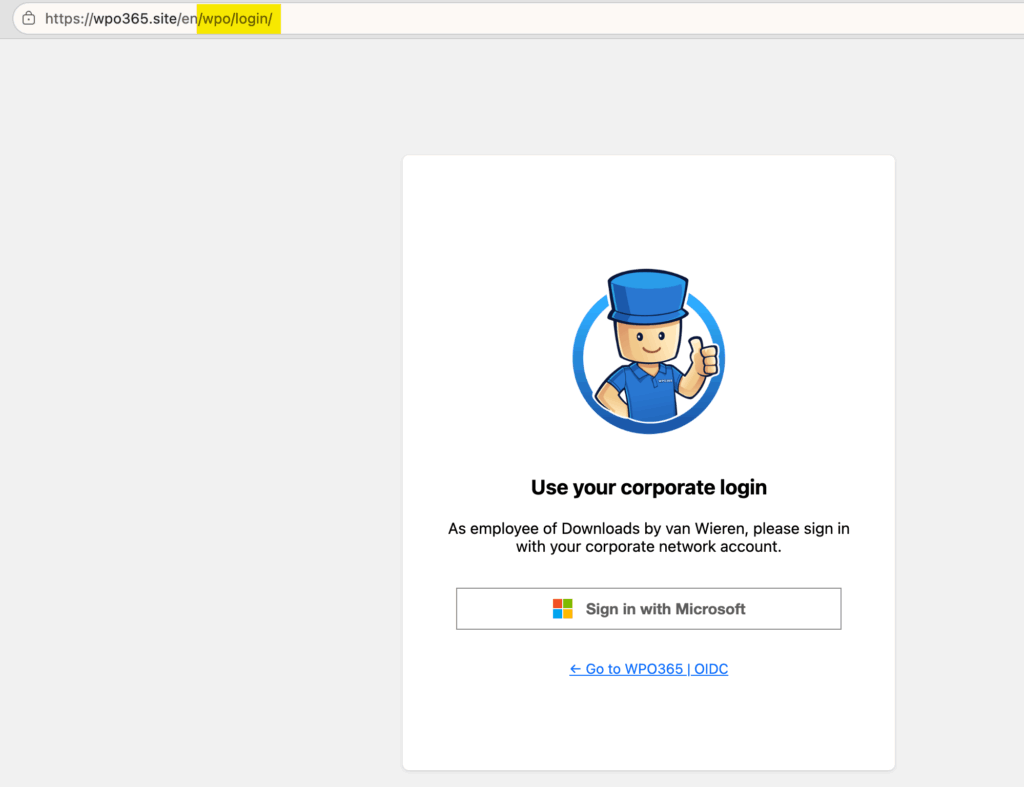
First impressions matter. That’s why WPO365 helps you create a polished sign-in experience, configure a custom Login Page and hide wp-login.php for your WordPress website. Instead of sending users to WordPress’s generic login page, you can create a dedicated login route such as https://your-website.com/wpo/login, present visitors with a fully branded sign-in experience, and optionally hide the default WordPress login form from most users.
Supported Features
Custom Login Route
Enable a dedicated login URL under https://{your webste}/wpo/login and optionally prevent / redirect visitors from accessing the default wp-login.php login form.
Custom Login Page
Design a branded login experience that matches the look and feel of your website and organization.
Custom Logged Out Page
Control what users see after signing out or when a Microsoft sign-in attempt cannot be completed successfully or when they sign out of the website.
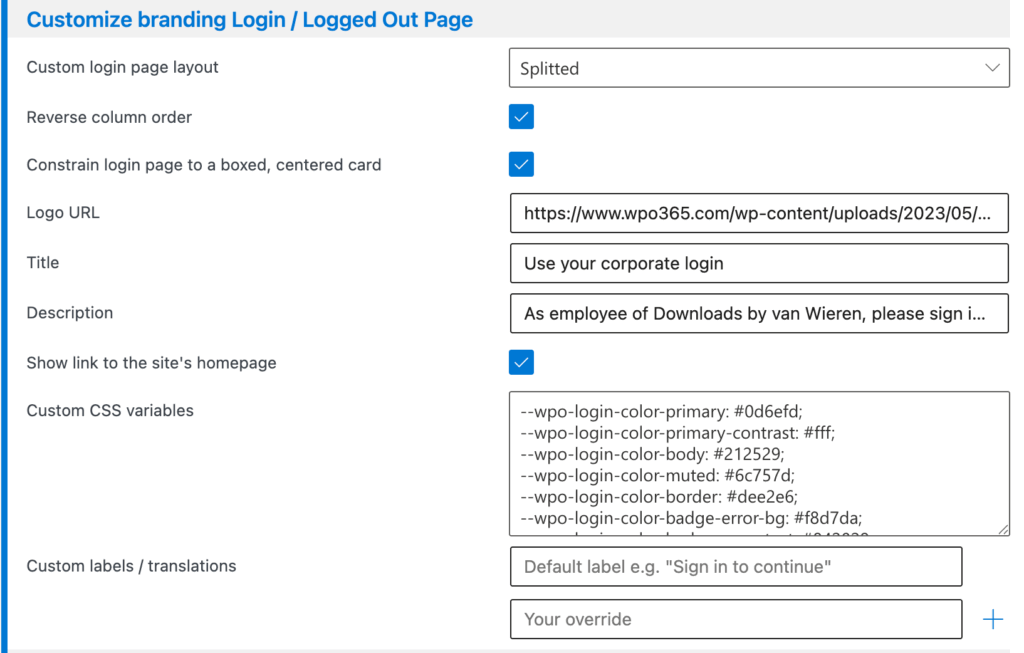
Customize appearance of the Login and Logged Out Pages
You can customize the look and feel of your custom Login and Logged Out Pages.
- Custom login page layout Choose between a single centered column (Default) or a two-column layout with a branding image on one side (Splitted).
- If you choose “Splitted”, a Reverse column order option lets you swap which side the branding image appears on.
- Constrain login page to a boxed, centered card Wraps the page content in a smaller, boxed card instead of filling the whole browser window.
- Logo URL The web address of an image to show at the top of the page.
- Title and Description Short text shown above the sign-in button, e.g. a welcome message or your company name. Shown on both pages by default. Use Hide title on the Logged Out page and Hide description on the Logged Out page if you’d rather leave one or both off specifically on the built-in logged out page.
- Show link to the site’s homepage Adds a small ← Go to {your site’s name} link, similar to the one WordPress’s own default login page shows, on both your custom login page and the built-in logged out page. This gives visitors an easy way back to your site instead of a dead end.
- CSS Variables For anyone comfortable with basic CSS, fine-tune colors, spacing and a background image.
- Custom labels / translations Override any of the page’s built-in text with your own wording, useful for translating the page into another language.
Plugins with this feature
The following (premium) plugins will install this feature in your WordPress website.
The following legacy plugin will also be updated and install this feature: WPO365 | INTRANET