

Release 41.0 introduces three Key Improvements. This release has been a long time in the making, and I hope it has been worth the wait. It brings a fully redesigned M*365 apps framework, a new vertical navigation for the Configuration Pages (replacing the horizontal layout), and the renaming of Azure AD to Microsoft Entra ID throughout the plugin.
More Powerful, More Flexible Embedding for SharePoint, Power BI, and Calendars
The redesigned M*365 Apps Framework takes embedding SharePoint Online, Microsoft Entra ID, Exchange Online, and Power BI content to a new level. It introduces greater flexibility through persistent app configuration stored in the database, a guided configuration wizard, and a preview mode that lets you fine‑tune settings before going live.
Individual apps have also gained new capabilities. Embedded SharePoint libraries can now offer search and file upload, while the growing set of templates now includes a generic HTML table layout, enhanced card templates for libraries, and a new data picker for Exchange Online calendars – which now also support application‑permission‑based embedding.
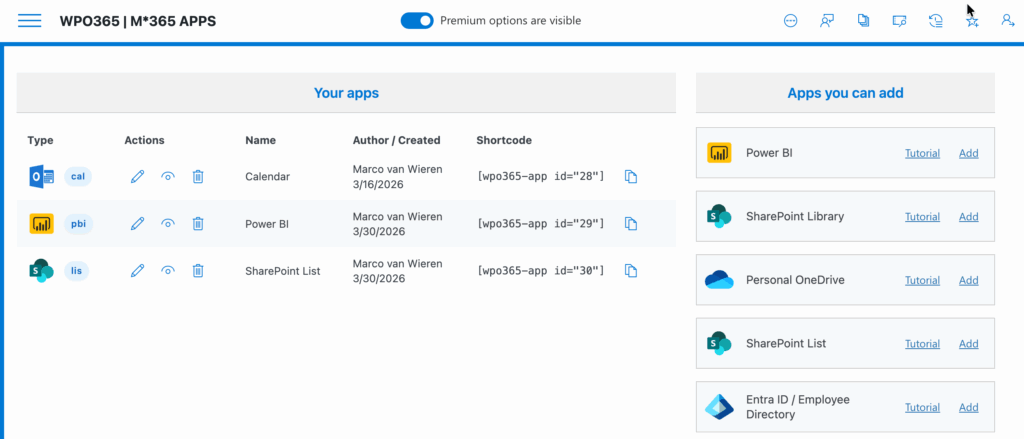
A vertical navigation
The the menu of the plugin’s Configuration Pages has been updated and now features a new vertical navigation (instead of the horizontal layout).
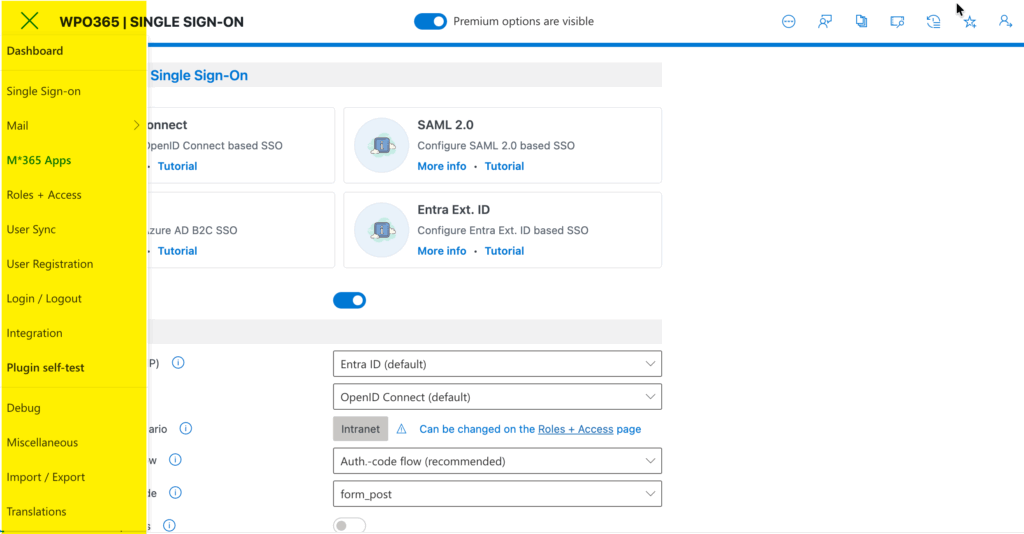
Simply click the so-called Hamburger menu in the top left corner of the Configuration Pages.
Renaming of Azure AD to Microsoft Entra ID
To align with Microsoft’s current branding, Azure AD has been renamed to Microsoft Entra ID throughout the plugin, and all portal links now open in entra.microsoft.com.